The Moodle Newdle: Accessibility
Create Accessible Documents
Online Learning & Educational Technology (OLET)
Join us online every Thursday 1-3 pm for a drop-in session
Welcome to our weekly BLOG: The Moodle Newdle. We’ll introduce you to some new Moodle features, as well as explore some of those you might have missed or forgotten. We also plan to spotlight course accessibility during the first and third Thursdays of each month.
Did you know you could make course materials accessible as you create them? Whether in Moodle, Microsoft Word, or Google Docs, use the built-in styles and formatting for headings, lists, columns (instead of tables), and paragraph styles.
- Include ALT text (alternative text) to describe any non-text content, such as images and charts.
- Write descriptive links, not navigational links, e.g., Clackamas Community College Website, NOT click here.
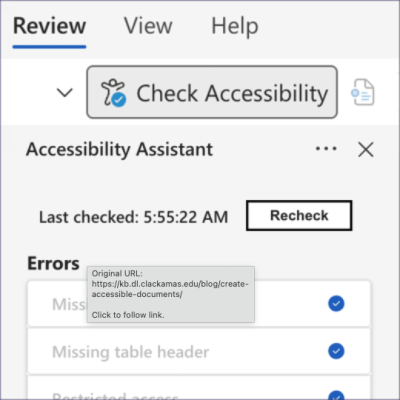
Next… check your work. Most applications—like Microsoft Word and Google Docs—have built-in accessibility checkers, so you can verify whether your file meets accessibility requirements and, if not, immediately fix those errors. Also, look for the TinyMCE Accessibility Gauge built into each Moodle Activity and Resource, where you can assess and resolve issues in real-time.
Written by: DW Wood | Posted on: January 16, 2026 | View all
©2026 For questions on this blog entry, contact Online Learning & Educational Technology (OLET).