Ratings allows you to grade the posts as you read them in the forum. To use this grade method you need to first create a Forum with Ratings.
Click the Forum link.
Enter the Discussion you want to grade.
NOTE: You do not need to enter the discussion for the forum type A single simple discussion to rate all the responses.

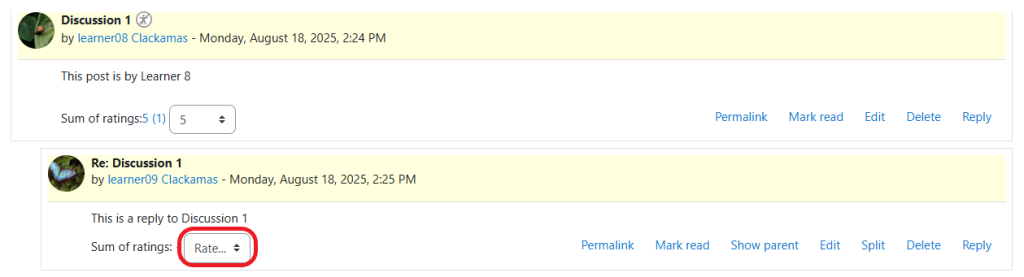
Select the score for the post from the Rate… drop-down menu in the bottom-left corner.
Confirm the changes by looking at the number listed immediately before the drop-down. It will reflect the score, and the number of teachers that have rated the post. Example: 5 (1) means the post has earned a score of 5 points by 1 teacher.
NOTE: If a – appears before the Rate drop-down then no grades have been applied for this post.
Use a Private reply to provide feedback to the student.
