Place Groups in Groupings to apply multiple groups to an activity

Home > Using Groups in Moodle > Place Groups in Groupings to apply multiple groups to an activity

Groupings are a collection of groups within a course. Groupings are necessary for groups to work within a single Moodle activity.

NOTE: Before you can create a grouping you need to first enable groups within your course and create some groups of students.

Scroll to the top of your course page

Select Participants from the secondary navigation.

Select Groupings from the drop-down menu.

NOTE: If you don’t see a Groupings option you may need to first enable groups your course.

Click the Create grouping button.

Enter a descriptive Grouping name.

Click the Save changes button.

Click the person icon to Show groups in grouping.

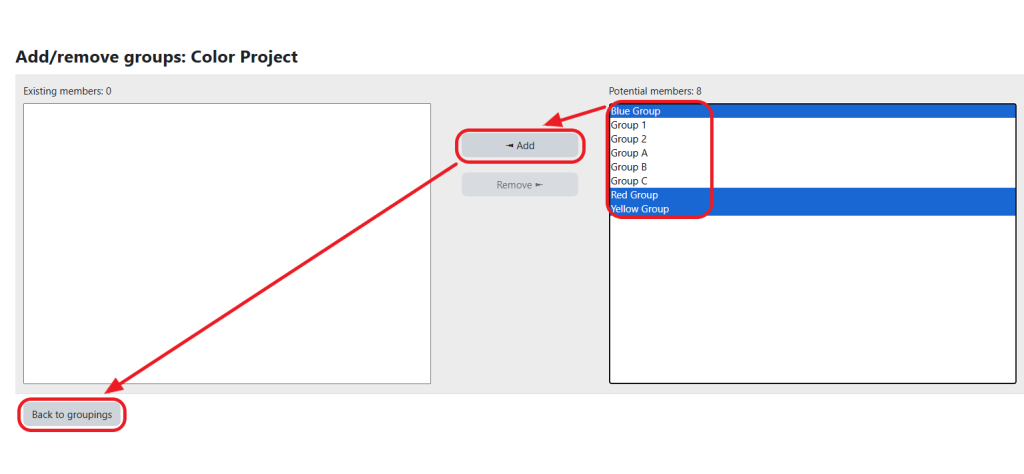
On the Add/remove groups page:

  1. Select the Group(s) for this Grouping. NOTE: Hold down the Ctrl or Cmd button to select multiple groups.
  2. Click the Add button.
  3. Click the Back to groupings button.

Set up group mode on selected Moodle activities.