Grade categories not only organize grade items for the course, but they also have their own aggregated grade which is calculated from the items it contains. We have a number of articles that describe the most common uses for gradebook categories in more details:
Scroll to the top of the main page of your course.
Select the Grades option from the secondary navigation.
Select the Gradebook Setup option from the drop-down menu.

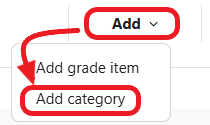
Select the Add category option from the Add drop-down menu.
For Category Name, enter the name of the category listed in your syllabus.

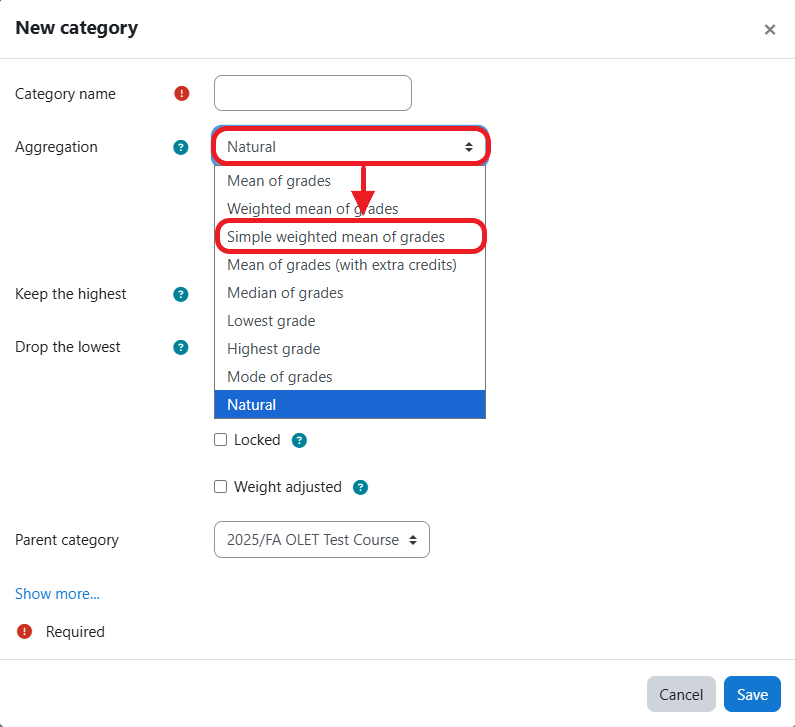
Select the Aggregation type from the drop-down menu.
NOTE: The most commonly used aggregation types are Natural or Simple weighted mean of grades.
Check the Exclude empty grades if you would not like grade items that do not contain a score to be used in aggregation.
NOTE: Use bulk enter empty grades to enter a score of zero for missing grade items after the due date so grade totals are calculated correctly.
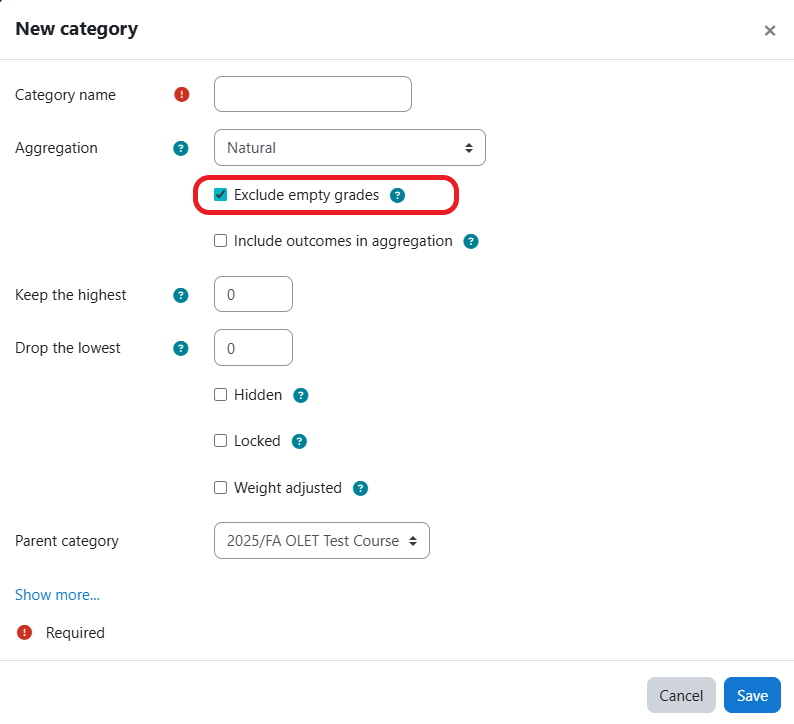
Click the Save button.
